

Soliciting App Reviews
What's on this page
Qtip: If you don’t have access to any of the features described on this page, reach out to your Account Executive. For more information about the differences between Digital Feedback and CustomerXM for Digital, see Digital Feedback vs. CustomerXM for Digital.

About Soliciting App Reviews
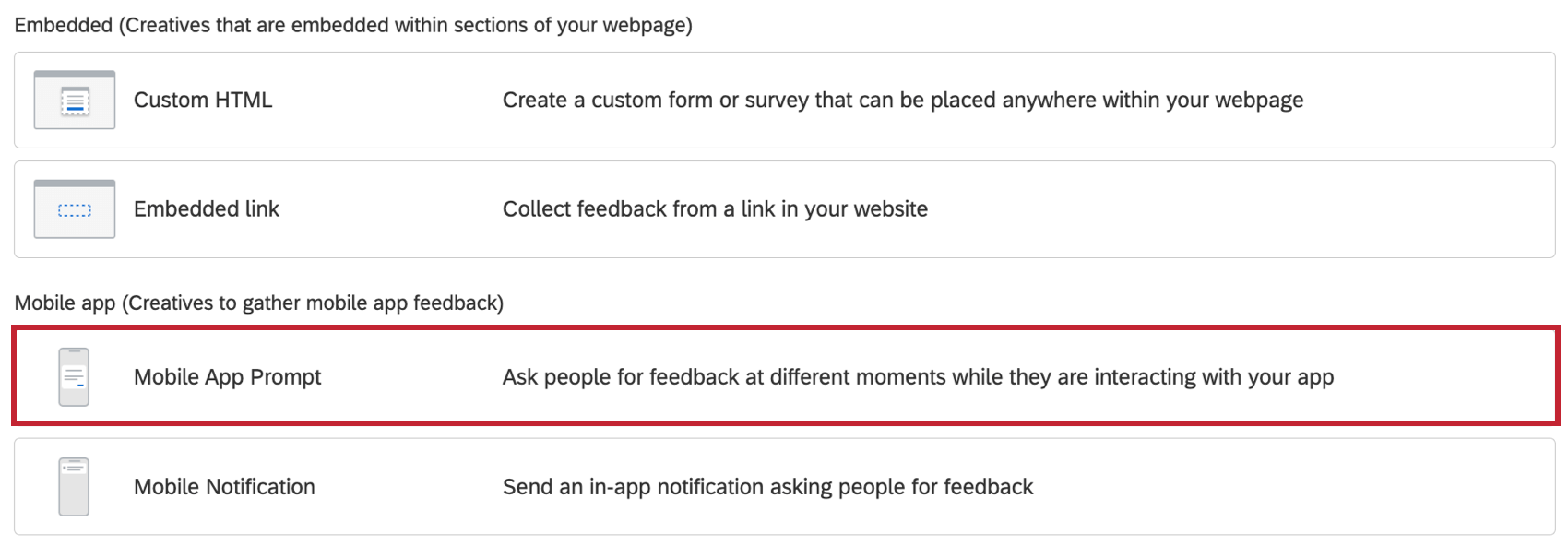
You can use the Mobile App Prompt Creative to solicit app reviews. The Mobile App Prompt can be used to ascertain the app user’s satisfaction with the app and, depending on their input, the user will conditionally be directed to leave an app store review or to submit feedback via a Qualtrics survey.
Qtip: This feature is only supported on SDK versions 1.6 and greater.
Read the Mobile App Feedback Project page for background information on setting up and using the Qualtrics Mobile App Feedback.
Designing the App Review Prompt
First, create your Mobile App Prompt Creative.
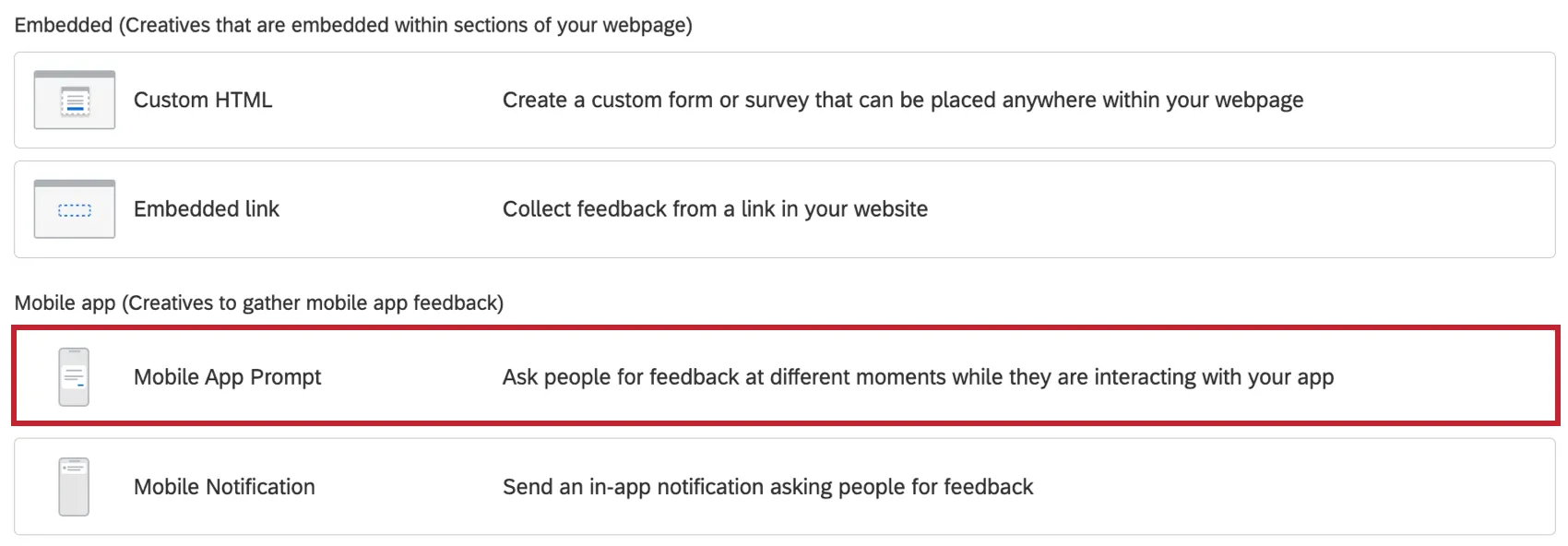
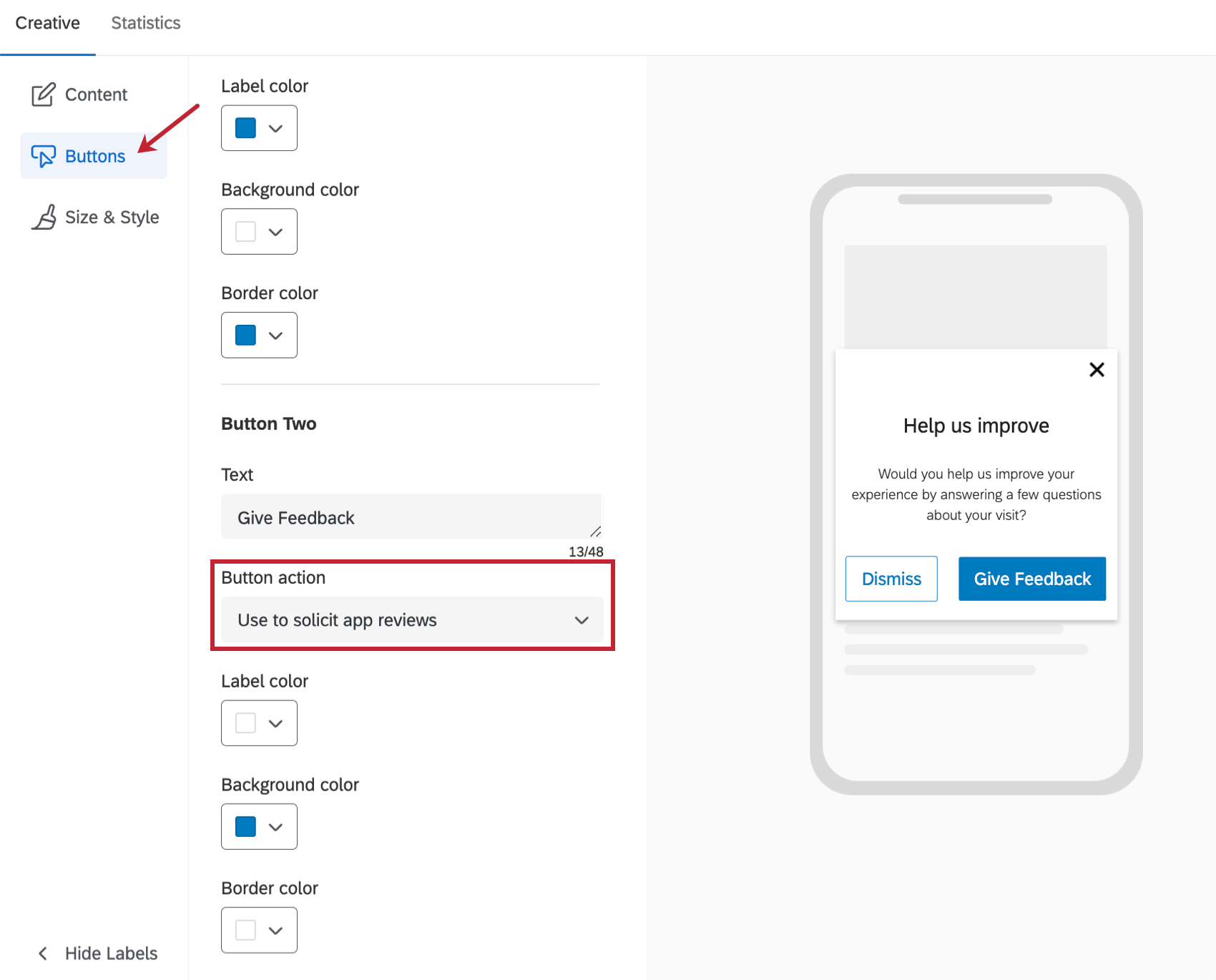
In the Buttons section under Button Action, you will need to select Use to solicit app reviews.
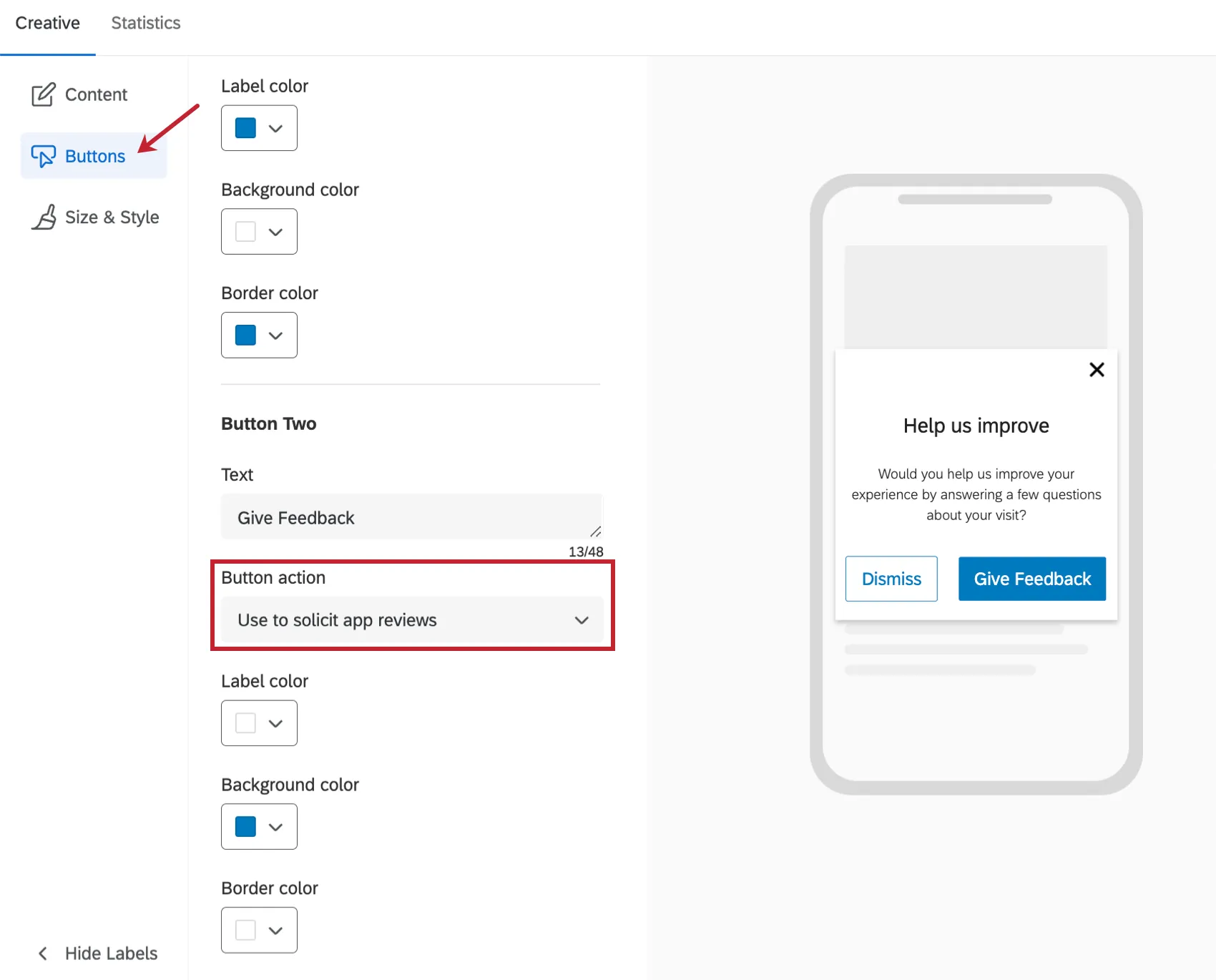
Example: If you’re looking for inspiration on how to customize your Mobile App Prompt, a typical configuration will look like this:

Qtip: You will be able to use all Intercept targeting rules that are supported for Mobile App Intercepts in order to choose when to display this prompt.
What App Users See
Once you complete the setup seen above, the Mobile App Prompt will solicit reviews from the users of your app. Your users will then have the following options:
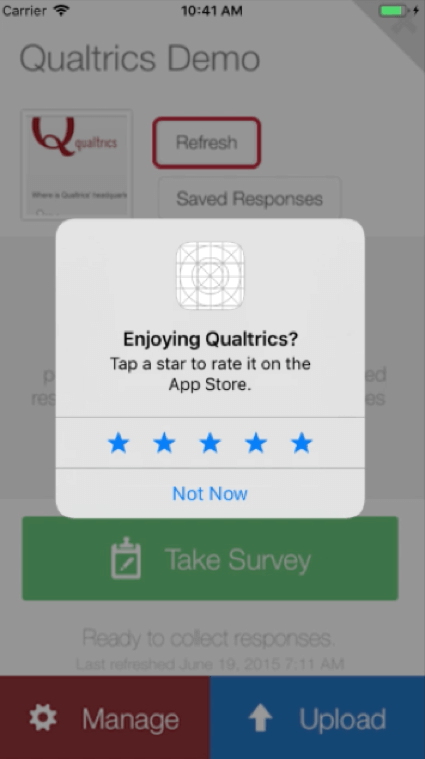
- On iOS (with App Review Prompts enabled for the app): Show iOS App Review dialog.
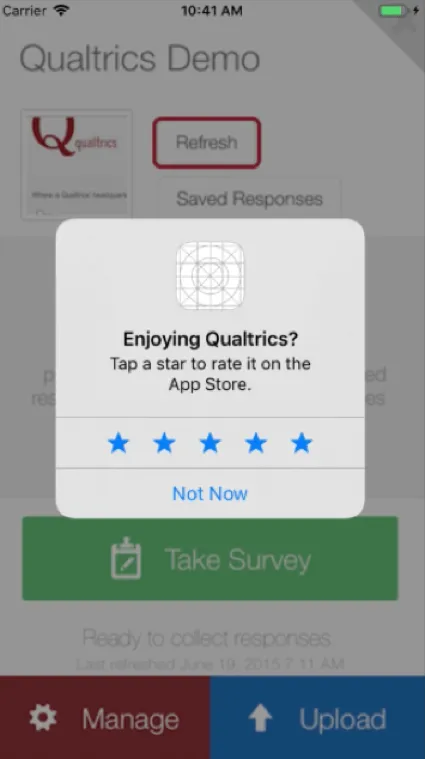
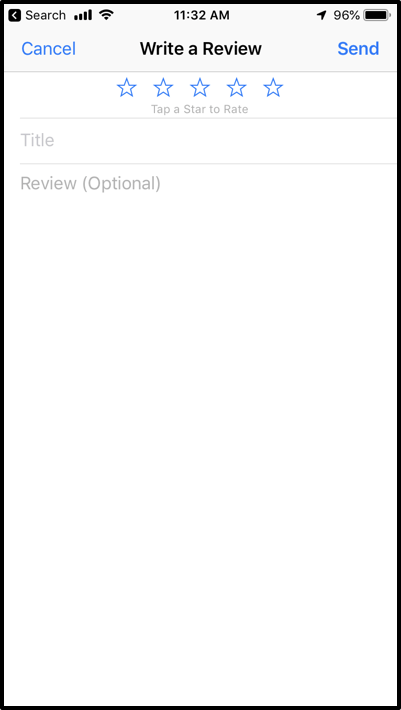
- On iOS (with App Review Prompts disabled for the app if the user has passed their quota of app review submissions for the period): Deep link into the Write Feedback page for that particular app where the user can leave a review.
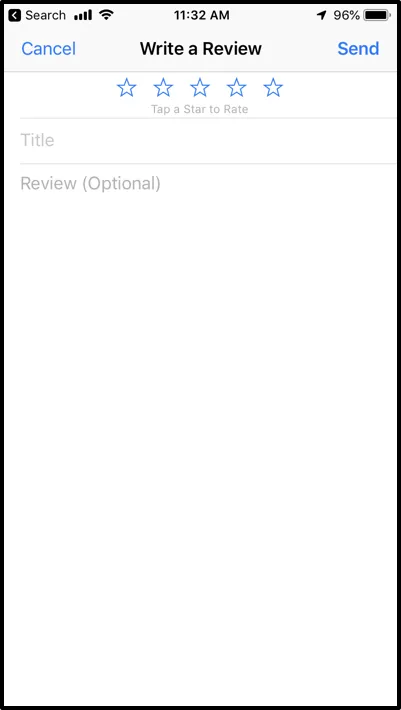
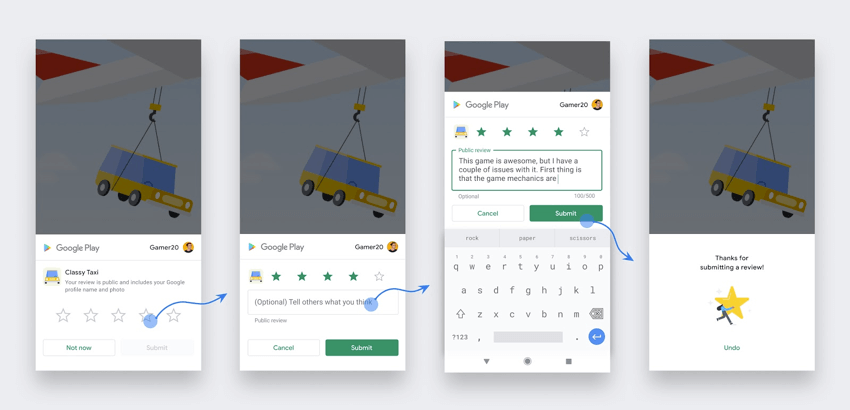
- On Android: Deep link into the Google Play Store page for that particular app where the user can leave a review.

Controlling the Frequency of the Prompt
There are a number of considerations for when to solicit for app reviews, such as:
Both of these factors should be strong considerations as you design your app review prompts.
Here are some options that allow you to control the frequency with which you present users with prompts to review your app:
Prevent Repeated Display
The Mobile App Intercept supports Prevent Repeated Display logic that will allow you to configure how often an intercept is shown to users.
Button Click Events
You can also choose to decide whether the app review prompt can be shown depending on when the app user last engaged with Rate the App or Share Feedback buttons in your prompt. This is enabled by adding Intercept targeting criteria that will take into account the last time the app user clicked Rate the App or Share Feedback. To accomplish this, follow the steps below:
- DISMISS BUTTON: <intercept_id>_<creative_id>_dismiss
- TARGET BUTTON (the button used to show the survey): <intercept_id>_<creative_id>_target
- APP REVIEWS BUTTON: <intercept_id>_<creative_id>_appreviews

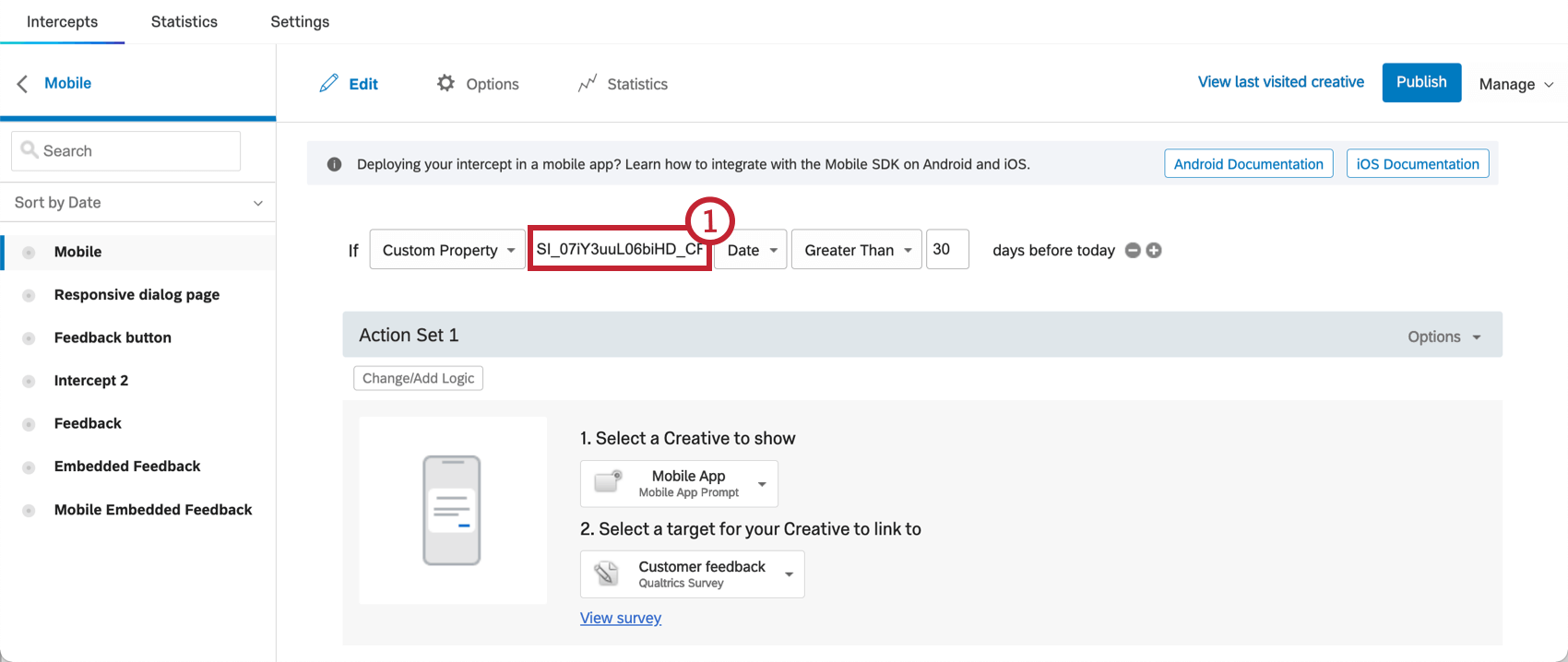
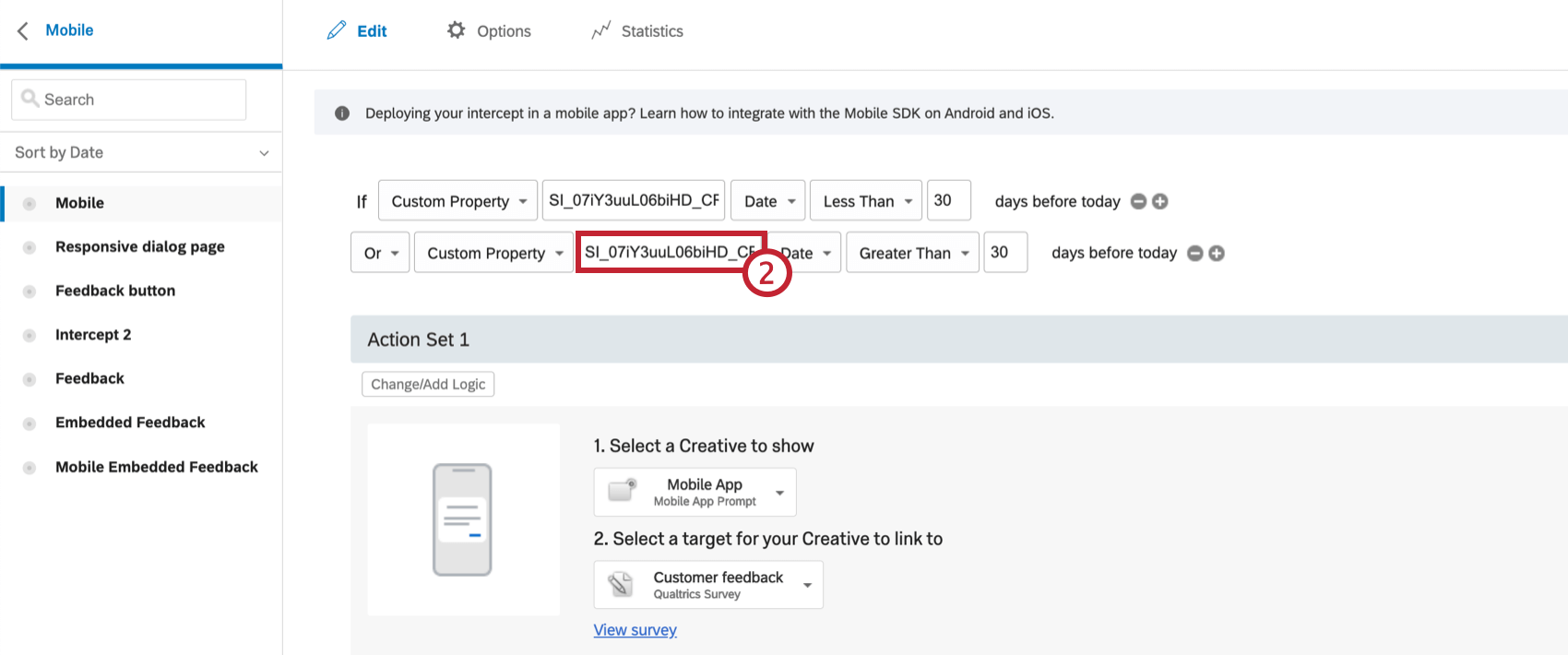
Qtip: You will also need to check to see if the Custom Property for your specific button hasn’t yet been initialized (i.e., is empty) to avoid suppressing the intercept for the first time (i.e., when the user has never seen the app review prompt before). This is because the custom properties for when the last time the button has been clicked will only be set after the first time that the button is clicked.
API and SDK Documentation
There are no new APIs that need to be called to enable the app review integration. You will need to integrate with the latest version of the SDK that has the app review functionality.
Although there are no new APIs, users must enter a new entry in their info.plist for iOS. This new entry should have the key: QualtricsAppStoreID and the value should be your App ID in the AppStore. On Android there are no additional steps.
That's great! Thank you for your feedback!
Thank you for your feedback!